NFL Confidence Pool
Pick NFL winners, rank each game by confidence, and compete all season long.
Looking to run an NFL Confidence Pool online? OfficePoolStop gives league managers the tools to host a full-season football confidence pool with ranked picks, custom scoring, live standings, clone entries, email reminders, and detailed player stats. Start an NFL Confidence Pool or join an existing pool in minutes.
In a confidence pool, players do more than pick winners. They rank each NFL game by confidence level, putting the most points on the picks they trust most. That makes every game matter and adds more strategy than a basic pick'em pool.
How NFL Confidence Pools Work
- Pick winners for each NFL game every week.
- Assign confidence weights to each pick, such as 1–16 depending on the number of games.
- Put higher point values on the teams you feel most confident about.
- Earn points equal to the weight of each correct pick.
- Most points wins the week and contributes to your season total.
Key Features
- Drag and drop or manually assign confidence weights on the pick sheet.
- Quick-pick options like all home teams or favorites.
- Confidence AutoPick can fill in missing picks after the deadline and automatically assign unused confidence weights while preserving picks and weights you already submitted.
- See average pick weights from all public picks on the site.
- Enable clone entries for players who want multiple picks.
- Detailed standings with win percentage, weekly points, season totals, and more.
- Live GameDay view to track picks and top performers in real time.
- Automatic email reminders before deadlines.
- Trophy case, Hall of Fame, and Hall of Lame eligibility.
- League-wide and player-level pick trends with weekly breakdowns and popularity charts.
- What If simulator to test outcomes and preview how standings would change.
- Securely stored pick history — learn more.
Manager Options
- Deduct weight or a fixed value for incorrect picks.
- Enable postseason continuation.
- Use custom playoff weight rules.
- Set missed pick penalties, such as automatic zero or negative points.
- Limit weekly picks, such as a Pick 5 confidence format.
- Manually select which games are included each week.
- Add bonuses for underdog wins or perfect tie-breaker calls.
- Use reverse scoring, where the lowest total wins.
- Link to your own custom rules page.
- Run straight-up or against-the-spread confidence pools.
- Allow up to 16 clone entries per player.
- Configure custom prizes for weekly and season-long winners.
- Use optional drop-worst-week settings.
- Track entry fees, notes, and player balances.
- Accept online payments for league fees.
- Customize your league with branding, logos, colors, and a custom login page.
Trends & What If Tools
NFL Confidence Pools are all about strategy, and OfficePoolStop gives you built-in tools to make that strategy more fun. Track patterns across your league and test “what would happen if…” scenarios once games are in progress.
Pick Trends
See what your league is picking, how heavy the average weights are, and which games players are most confident in. Great for rivalry chatter and late-season races.
What If Simulator
After games start, try different winners and preview how standings would change, including rank movement.
• Simulation by rank only. Tie-breakers are not applied.
Sample Screenshots

Season Overview
Track total confidence points each week based on correct picks and assigned weights. Standings update in real time.
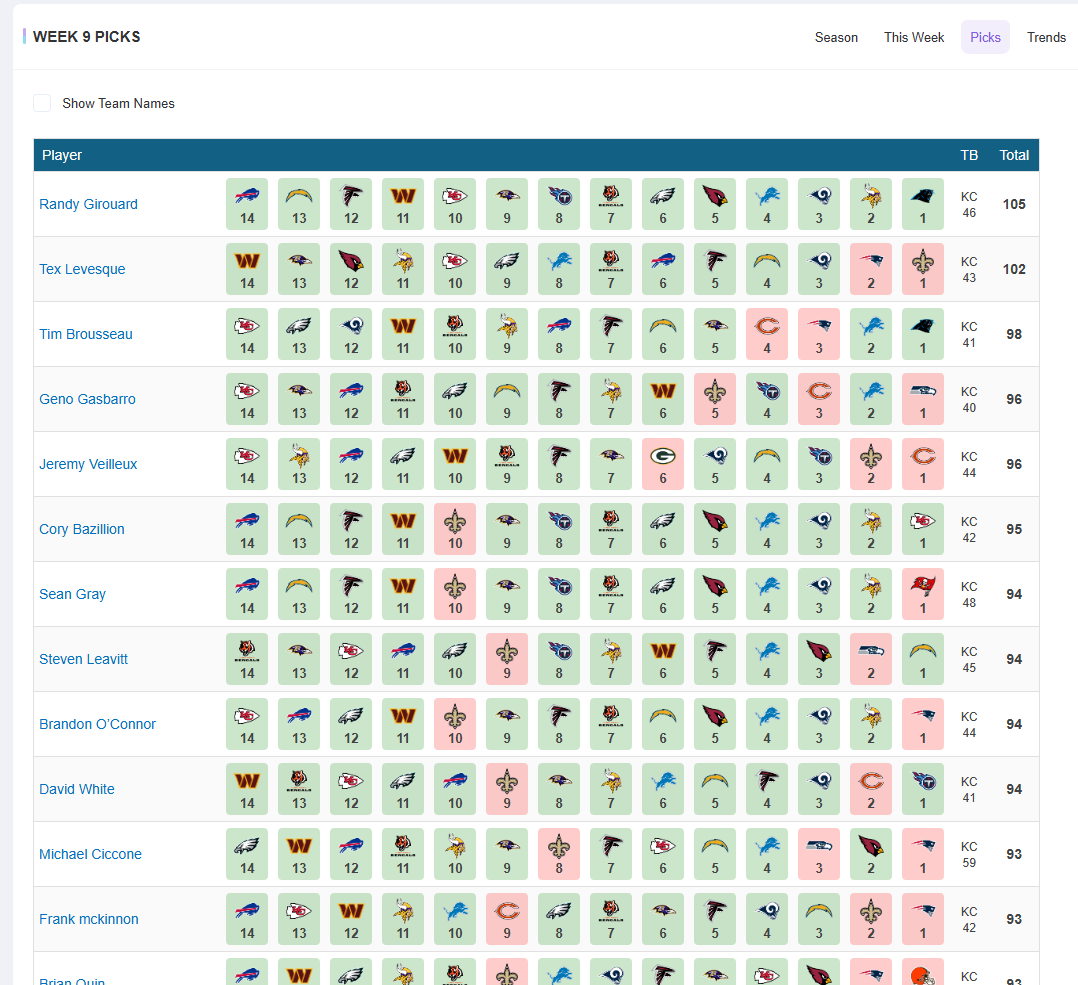
Weekly Picks Breakdown
See weekly picks, assigned weights, and earned points. Results are color-coded for quick review.
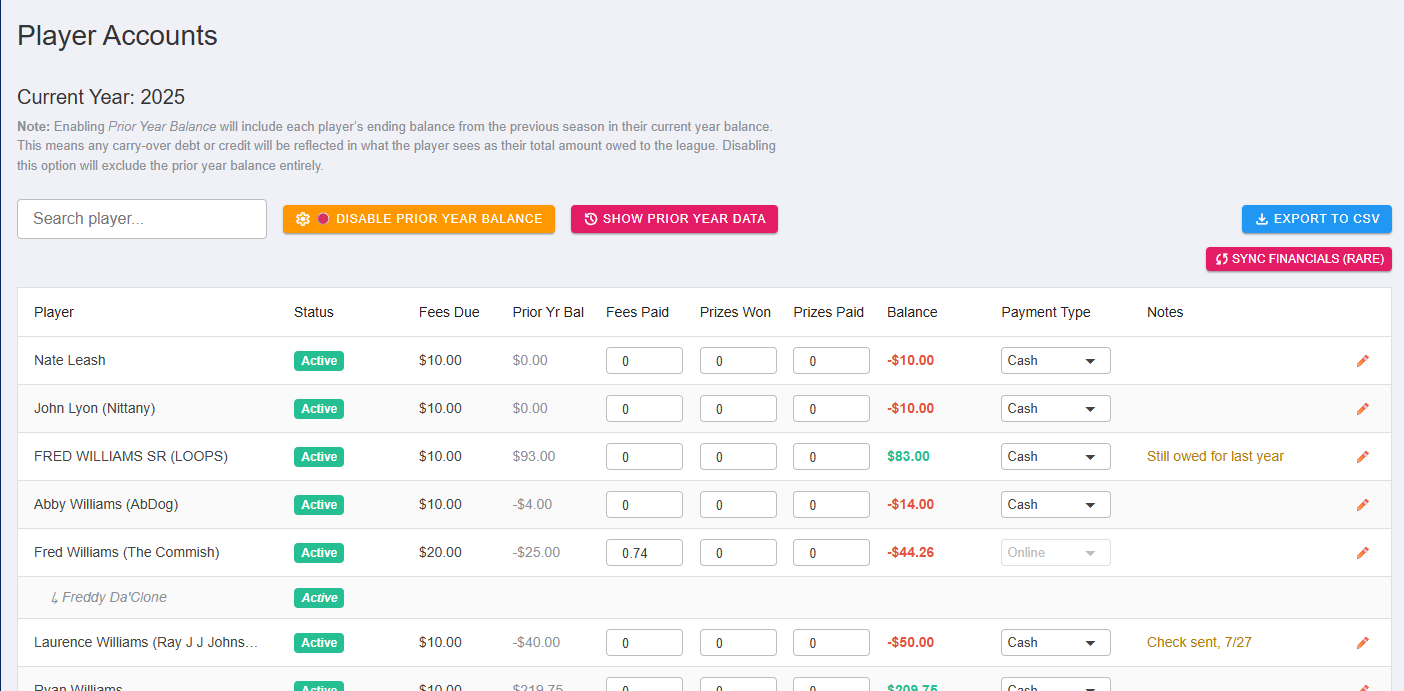
Manage Player Accounts
Track fees, add notes, and send reminders from one central dashboard.
Get Started
NFL Confidence Pools are a fun, strategic way to make every football game matter. Whether you're a seasoned commissioner or new to the format, you can start a league or join one in just minutes.
* NFL bye weeks automatically adjust the available range while keeping 16 as the highest confidence weight.