Squares Pool
The easiest office pool to run — claim a square and win by matching the score digits each quarter.
Squares pools are a classic for the Super Bowl, playoffs, and any big single-game event. OfficePoolStop makes it easy to create or join a Squares league in minutes. Managers can run multiple boards inside one league. Each board is free for up to 4 players, and only the boards that need a 5th player or more require a $10 Premium upgrade. Want more strategy? Check out our Pick’em pools too.
How Squares Pools Work
- Each 10×10 board creates 100 squares players can claim.
- Managers can create multiple boards within the same Squares league.
- When one board is full or unavailable to a new player, the pick sheet can move them to the next available board.
- Digits 0–9 are randomized across the top and side headers.
- At the end of each quarter, the last digit of each team’s score determines the winning square.
Key Features
- Create and manage multiple Squares boards within one league.
- Each board starts free for up to 4 players and can be upgraded separately.
- Players are directed to the next available board when an earlier board is full or unavailable.
- Clean, modern squares board that works great on mobile and desktop.
- Automatic square ownership display (initials on the board).
- Quarter-by-quarter winners + visual highlights on the winning square.
- Live board status: locked/unlocked, randomized headers, and event time tracking.
- Optional email reminders and lifetime player history.
- Premium boards support more than 4 players and remove ads for that board experience.
- Highly secure data protection — learn more.
Manager Options
- Add up to 20 boards within the same Squares league.
- Upgrade individual boards instead of paying to upgrade every board.
- Set team names, event name, and event start time (stored in UTC).
- Randomize header digits (0–9) and “reveal” them at the right time.
- Lock/unlock the board (automatically locks once the game starts).
- Enter quarter scores and finalize winners (Q1–Q4).
- Configure cost per square and quarter prize payouts.
- Export league data and track payments (Premium tools available).
Sample Screenshots
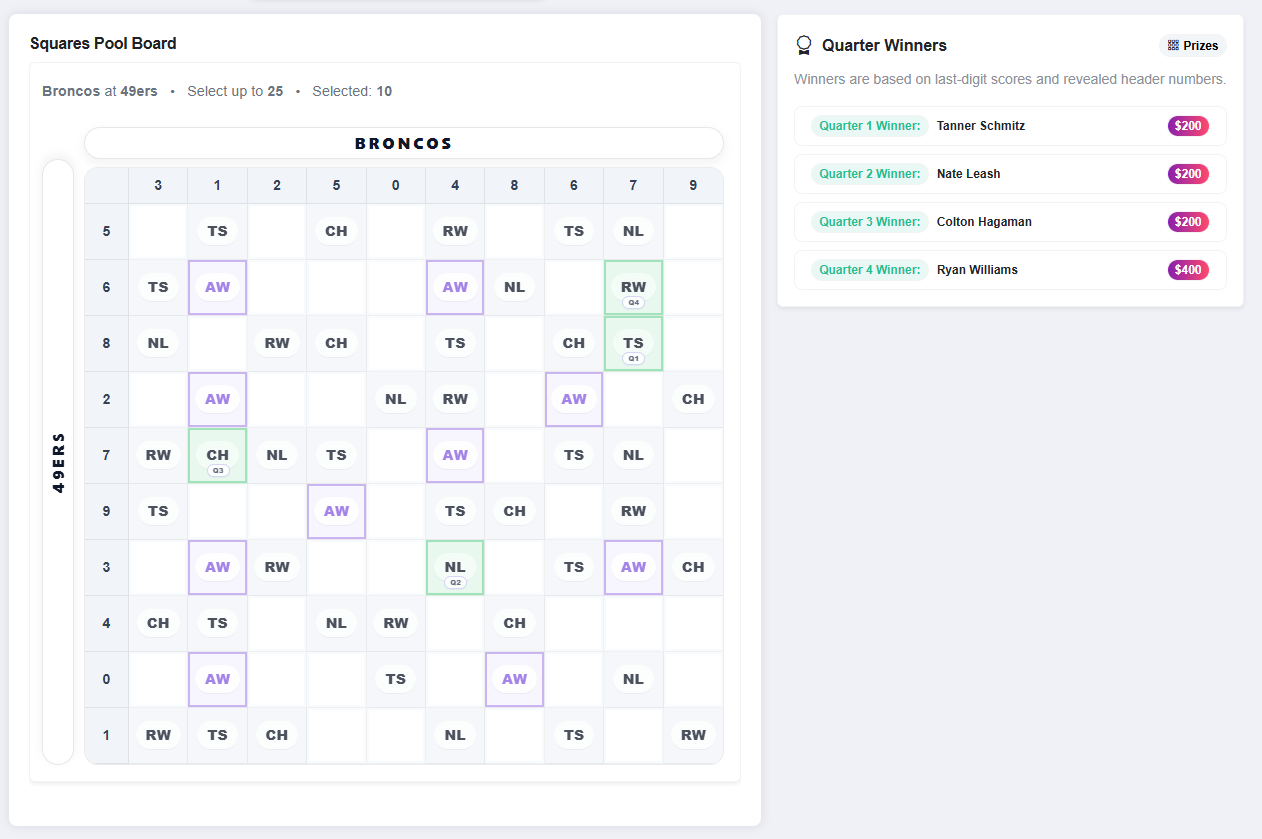
Squares Pool – Live Board
Players claim squares and see initials on the board. Winning squares highlight by quarter.
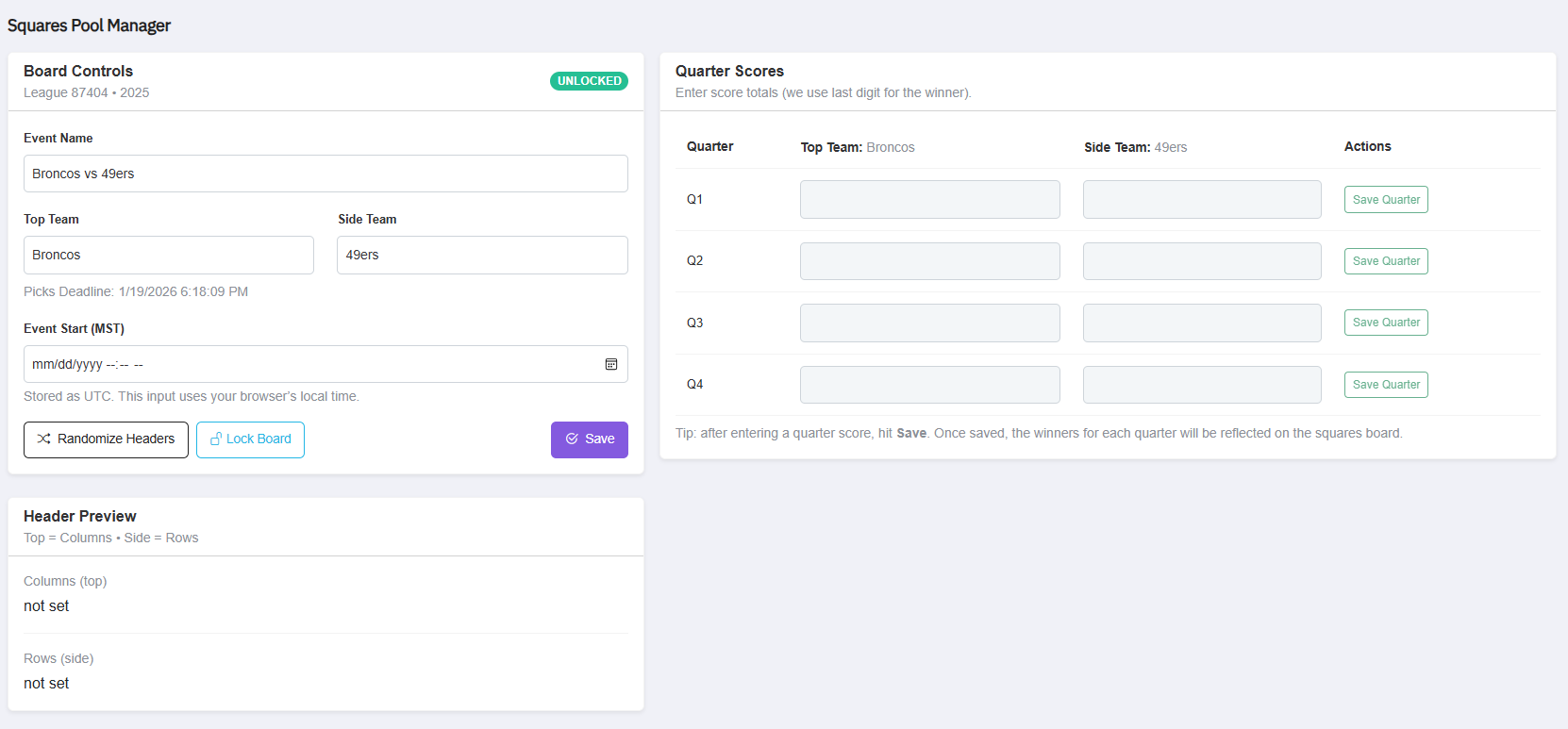
Squares Pool – Manager Controls
Draw random numbers (randomize headers), manage board lock status, set the event start time, and enter quarter scores.
Get Started
Squares pools are quick to set up and fun for everyone — even people who don’t watch football. Create a board in minutes, share the invite link, and let players claim squares.